Showing posts with label mobile transfer. Show all posts

Tuesday, February 16, 2016

AllPepole Mobile Swap is a must-have APP for sells shoppers

The New Year, many friends changed a new mobile phone which will have to synchronize directories, bookmarks, SMS, etc., a lot of information to move into the new from the old cell phones, it may have to spend a lot of time. In order to let everybody transfer data more convenient, AllPepole launched My Mobile Swap.

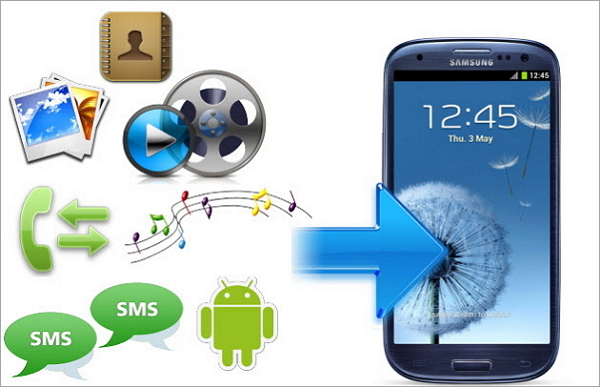
"My Mobile Swap" is a mobile data transfer tools quickly, at present, Mobile phone can transfer data a total of nine categories: directories, software, text messages, phone records, bookmarks, pictures, music, video, and schedule.

Use this software transfer cell phone information, only need cable, need not connected to the Internet traffic. The use of the software method is very simple, first of all to download My Mobile Swap to Windows, new and old two phones do not need to install the software, the data line can complete the transfer. Choose the data type you want to transfer, the following will display the size of you want to transfer the data and the time required.

It’s found that such as some stores shoppers entangled with customers how to quickly transfer phone contact person, will introduce to the customer "AllPepole Mobile Swap". Switching phones "AllPepole Mobile Swap" can ensure the address book is not lost, the customer is still there, can rapid transfer of the application of the old cell phones, photos, music etc., very practical.

Mall shoppers, said with AllPepole Mobile Swap, the customer after the replacement of new Mobile phone is not worried about the transfer of contacts, SMS etc.; And cannot be restricted by environment, transfer of fast, safe mobile information anytime and anywhere. "AllPepole Mobile Swap" not only solves the customer in the trouble of Mobile phone, also helped to increase the performance, so "AllPepole Mobile Swap is a must-have APP for sells shoppers "!

More AllPepole Software at app store:


Thursday, January 28, 2016

How to implement the program data transfer betweenAndroid mobile phones?

With a new phone, how to quickly transfer the address book, text messages, pictures and music to the new phone? If it is pure manual copying, input, you're out for too long. Actually, you can install AllPepole Mobile Swap easily apply contacts, photos, music, etc. A key moved to the new phone.

AllPepole Mobile Swap is a super convenient Mobile phone data transfer tools quickly. Without Internet, need to use cable, easily transfer data between the android mobile phones! Using AllPepole Mobile Swap can zero flow fast implementation include contacts, SMS, applications, music, pictures, video, and so on data transfer.

AllPepole software at iTunes app store:

Assistants from Sunning phone stores said: "the mobile phone has become a modern people's fast moving consumer goods, some people from Huawei mobile phones to Samsung, from HTC to millet, new hand after the first thing is to get the old phone's address book moved to the new phone, because mobile phone brand models, different directories are not compatible, has caused many people to transfer contacts in trouble."

Guide from iPhone store said: the customer Mr Zhang reflect, old and new mobile phone brand, will import nearly thousand telephone number in the phone book in the new phone is not very easy to implement, the introduction of the method is not only online operation trial, for users who like me has the certain difficulty! Finally had to use "a finger Zen" hundreds of contacts will be input into the new phone.

Take in a new cell phone, but how to get the old mobile phone in the network resource security stumped a lot of people moved to the new phone. We know that human resources is a kind of potential intangible assets, is a kind of potential wealth. An individual career success, 80% attributable to get along with others, 20% is from your heart. Mobile phone address book how important it is!

Summary: As long as the "AllPepole Mobile Swap” APP installed on the computer, the connection between old and new cell phone, the data in the old Mobile phones can be safely and quickly moved to the new phone. AllPepole Mobile Swap really must give force!

Free download AllPepole Mobile Swap:


Thursday, January 14, 2016

How to use the Mobile Swap transfer data from One smartphone to another

Mobile data from the iPhone, Android or from an Android to the iPhone is all so simple, in most cases. Of course, you can use a named AllPepole mobile swap to transfer; it is easy to make the shift plan successfully.

AllPepole mobile swap is an advanced tool that allows you to transfer data, such as contract, messages, pictures, music, etc., from the iPhone to Android or from Android to the iPhone in a few simple steps. You only need to according to the mentioned in this guidance, from a mobile phone to another data of three steps.

Note: in this tutorial, we will only show you how the iPhone and Android, but AllPepole mobile swap mobile transmission of data between transmission tool is compatible with Windows completely, and BlackBerry smartphones.

How to use the Mobile Swap transfer data from one smartphone to another

Step 1: download, install and run on the AllPepole mobile swap
First, you need to download AllPepole mobile swap from the AllPepole official website and installed on the computer, select "calls to transfer option". When you start the program, you will get a window that is very clear.

Note: if you want to from a BlackBerry or iTunes backup file transfer data to another cell phone, click the "back" button under the backup and recovery software part.

Step 2: connect the two devices to your computer
Now, you need to USB cable at the same time as your iPhone and Android mobile phone connected to your computer. After doing so, the program will automatically detect your phone.

Step 3: start from a mobile phone transfer to another
In this last step, choose to copy to the other data in a cell phone, and then click on the marked "copy" button to start the process of data transmission.

More AllPepole Multimedia software at iTunes app store:


Wednesday, January 6, 2016

How to transfer data from Samsung Galaxy to iPhone 6 easily?

Because there is always so many background apps in your RAM space, so much slow down your system background application, you may have tired of the android mobile phone. How about using the iOS to replace? This may be the best time for some Android users, just like you, because the iPhone 6 is just released in September. Now the question is: how to deal with all of your personal data, such as photos, video, music, text messages and contacts saved on Android devices? How to transfer Samsung Galaxy file easily to the iPhone 6?

Of course, you can just connect your Samsung Galaxy phone to the computer, copy the files from the SD card, and then transfer them to your new iPhone 6, but because you don't have enough permissions to access your contacts or text files, they seems very hard to let you and commonly used method is transferred to the new iPhone 6.

AllPepole Mobile Swap is dedicated to do ability to transmit data between any smart phone plans. Fortunately, the software can also support the transport address book, video, pictures, etc., from Samsung Galaxy phone to the latest iPhone 6. Now I will tell you how to personal data transmitted from the Android mobile phone, says Samsung Galaxy S5 / S3 / S4, 6 to the iPhone.

Step 1: download the AllPepole Mobile Swap and install it on a computer.

Step 2: start AllPepole Mobile Swap, then connect your Galaxy S5/S4/S3 and iPhone 6|6S|6S Plus to the computer. After connecting your device, the program will immediately recognize them, and show them to you. To exchange, just click on the button to copy.

Step 3: Transfer Samsung Galaxy S5/S4/S3 data to iPhone 6/6S Plus. Check after finish all the steps above, as long as you want to be in the middle of the data, such as video, music, photos, contacts, etc., and then click the "copy" button. Then your Samsung data will begin to shift to the iPhone 6. Just make sure no broken two devices in the process.

Note: AllPepole Mobile Swap not only transfer contacts, messages, video, pictures, calendar, music from Samsung Galaxy to the iPhone 6, you can also directly in the transmission of video and music files into the iPhone 6 compatible format for your service.

All you need to do is simple, as long as the above. AllPepole Mobile Swap - in addition, you can also Symbian and Android, Symbian and iOS easily with this powerful tool to transfer data between. Just have a try.

Download more AllPepole software at iTunes app store;


Thursday, December 3, 2015

The Easiest way to transfer data from old iPhone to new iPhone 6/6 Plus

After the release of iPhone 6S Plus the iPhone has become cheaper and if you want to upgrade your old device then this is the perfect time to do that. But do you want to give up all the important data from your old device? But now there is nothing to worry as you can very easily transfer all the data from your old phone to new iPhone 6/6S plus and the data includes messages, music, videos, photos etc.

Method: Transfer files from old iPhone to iPhone 6/6 plus with AllPepole Mobile Swap

With the help of AllPepole Mobile Swap, you can easily transfer old iPhone data to new iPhone 6/6 plus and that in just one click. This is especially designed to transfer data like contacts, messages, music, photos, videos and calendar along with many other data from your old phone to new iPhone. Contacts can be copied along with the job title, company name, email address and much more. Even it can recover iTunes backup and transfer to iPhone 6 effortlessly. Moreover it works with all iPhones which includes 6 Plus/5s/5c/5/4S/4/3GS running iOS 9/8/7/6/5.

Step 1: Run the AllPepole Mobile Swap app and after that connect the iPhone

First install and then launch AllPepole Mobile Swap on your computer and then connect your old phone to iPhone 6 plus through 2 USB cables.

Step 2: Select phone to phone transfer

You will see phone to phone transfer in the main window. Just hit on it and you will see a mentioned window.

Step 3: Begin to transfer the process

Click on the start copy where you can see the transfer is on progress. After that process ends, all the data gets transferred to your new iPhone 6 plus.

Download More AllPepole Software at iTunes store:


Thursday, November 26, 2015

How to Transfer/Copy Contacts between iPhone 4 and iPhone 6 on Windows/Mac?

Data transmission is a common problem all the time, when it comes to upgrading to a new iPhone, just like the iPhone 6, it is necessary, do you know the way of transfer or copy the contacts between the two iPhone, if you are one of the iPhone users, especially when you have all your contacts from the old iPhone 4 is transferred to the new iPhone 6 or someone wants to get some contacts from the iPhone 4 to his/her new iPhone 6.

Contact was used to send one of the most important data; you must copy of cases of data loss to be very careful. You can through the mail transfer a small amount of contacts or email 2 iPhone; it is very easy and simple way. But you can't move or copy extensive use of mail or E-mail.

If you have a backup up to transfer contacts from the old iPhone new iPhone is not tough. With this, you can easily transfer or copy the contacts from the iPhone 4 to iPhone 6. If you have set up the correct in your iPhone, so you don't have to worry about copying contacts to a new iPhone 6.

Sometimes you may not be able to transfer a large number of use up to contact, because of this, you can only synchronization or replication two iOS is using the same Apple ID contact between the devices. However, as the AllPepole Mobile Swap you can easily transfer or copy the link between the two iOS devices. Use this tool, you can safely send contacts to the iPhone 6 and the iPhone 4. This is to provide the best software for iPhone users; it also can be extracted by up to backup files.

More AllPepole software at iTunes app store:


Thursday, November 19, 2015

How to Transfer Data from iPhone to Android on Windows

Looking to swap from iPhone to Android smartphone? If you are really moving from iPhone to Android phone then you will be facing lots of problem. The main problem you will face is of transferring data from iPhone to Android because iOS on iPhone and Android on Android phone are different in many ways and therefore it is difficult to move data from iPhone to Android. So, if you are looking for such solution then you are in the right place. Here you will come to know about useful tips and steps that will help you to transfer data such as text messages, contacts, videos, music, call logs, apps, calendars, notes, etc from iPhone to Android smartphone.

Method: Transfer All Data from iPhone to Android easily

The easiest way for transferring data from iPhone to Android is to take help of transfer software. Software like AllPepole Mobile Swap (For Window users) will help you to transfer all data that is stored in your internal memory of the device as well as cloud data. The software allows you to transfer contacts, SMS, photos, videos, audio files and others data from iPhone to Android smartphone. The software fully support Android 2.1 and above, and iOS 5/6/7/8.

Notes:

1. Transfer Contacts in accounts: For transferring contacts in accounts such as Google, Facebook, Twitter, you have to log in to the respective accounts on your iPhone.

2. Backup and restore: If you have not purchased nor have Android phone right now, then you do not have to worry about. You can simply backup your iPhone data to PC and afterwards you can restore data on your Android smartphone or tablet.

Step 1 – Download and launch the AllPepole Mobile Swap

Launch AllPepole Mobile Swap on your system (Windows). In home screen, choose Phone to Phone Transfer mode and then click Start. iPhone to android

Step 2 – Connect Your iPhone and Android Device to PC via USB Cables

Connect both of your iPhone and Android devices to the PC. The software will detect both of the devices as shown in the image below.

Step 3 – Start Data Transfer from iPhone to Android

Scan the files that you want to transfer. Click Start Copy. If you have unwanted files in your Android phone then you can check Clear data before copy.

More AllPepole software at iTunes:


Wednesday, November 4, 2015

How to tranfer files between smartphones


AllPepole Mobile Swap is an application of setting up with exactly purpose. It allows users to easily transfer to the new smart phones and passed along the way, all the information. It is compatible with the Android, including the upcoming Android updates. Blackberry and Symbian Phone support, and the compatibility of Windows Phone has been in the work. In addition, the software can easily create a backup of data on the smartphone. That sounds promising, so let's see how the application works.

First of all, AllPepole Mobile Swap is computer application on the Windows. Due to the soft hardware requirements of the software and version of the operating system, and we want it in the past decade or so to buy most of the running on your computer. For the purpose of this review, however, we will use an authorized Windows variant of the APP, installed a fairly modern Windows 7 PC.

AllPepole Mobile Swap the whole installation process is within a few minutes to complete. Download from the installation package AllPepole website we just for instant, install software is playing the "next" after a few times. Registered products are a quick and easy process, and in the end, the application was take up no more than 100 MB of disk space. So far, everything is fine.

We must point out that the AllPepole Mobile Swap application must be installed in our android devices in the process of installation. Simply say this is an "optimization" application, clear memory, module automatically start the application, batch delete files, and all. We are not particularly fond of this type of application, because they may actually do more harm than good. However Mobile Swap function depends in part on the Mobile Transfer application, it allows the text import. Thankfully, the application can be used safely uninstall Mobile Trans one is finished.

The data backup is AllPepole Mobile Swap another very useful function. The backup data process is very simple and clear - you connect the smartphone to your computer, choose the kind of data you need to backup, and made a great blue "transfer" button. The software needed to complete the rest of the work. If you need, you can in the later time in a few simple steps to restore the backup.

Download More AllPepole Software at APP store:


Friday, September 25, 2015

Transfer and Backup Content from Galaxy to iPhones

The iPhone 6S and 6S Plus are Apple’s newest smartphones. The two big screen phones have major updates over the previous iPhone 6 and 6 Plus, with 12-megapixel camera and 4K video recording, “3D Touch” pressure-sensitive display to enable quick actions across the OS, live photos and more. Plan to switch to iPhone 6S or 6S Plus, abandoning your old Samsung Galaxy phone? The advantage of Apple iPhone over Samsung Galaxy phone is the simplicity and style of its software. So, if you need a big screen smartphone but do not like Android phone, iPhone 6S or iPhone 6S Plus is the best choice.

When switch to iPhone 6S or 6S Plus from a Galaxy phone, you have to transfer the phone data. How do you move the contacts, messages, music, videos and other document files from your old phone to your new device? Here, we recommend Mobile Swap, which is a professional software to copy data between mobile phones (Android phone, iPhone, Nokia Symbian phone, Windows phone). It supports transfer your old phone data to your new iPhone 6S, iPhone 6S Plus, iPhone 6, iPhone 6 Plus from Samsung Galaxy S3, S4, S5, S6, S6 edge and Note series phones.

Similarly, mobile phone backup is an important thing to avoid unexpected data losing. Currently, iPhone and Android phones are popular, if you use an iPhone, iOS Manager – TunesGo is the best choice. If you use an Android phone, Mobile Swap for Android can help you backup Android phone data to PC or Mac with ease.

Taking Samsung Galaxy S5 as an example, with Mobile Swap for Android, you can back up all important data to PC or Mac, including apps, music, videos, photos, contacts, SMS and files. Furthermore, you can transfer the mentioned data to Galaxy S5 from computer, such as important iTunes music to Galaxy S5, transfer photos to Galaxy S5, etc.

Allpepole software at App store:


Sunday, September 13, 2015

Review on Mobile Swap: Old Phone’s Data Transfer to the New

Buying a new phone is always exciting, but what’s not exciting is getting the new phone loaded with data from the old phone. I have seen folks carrying both – the old and the new phone for a few weeks after the switch because they have messages, notes, images, and a lot of other important files they might need, and they mean to do the transfer “soon”. Can’t blame them, such a drudgery that task is.

If you save your contacts on an online account, it’s easy to sync across devices, but beyond that, you have to figure out a way on your own to get these transfers done. And if you are switching platforms, like iOS to Android, the complications increase fourfold.

Although there are a number of ways to transfer data from the old phone to new, these aren’t straightforward for the average, non tech-savvy user. If you are looking for a one-click solution to transfer the data from an old phone to a new one, Mobile Swap, the simple software from the house of AllPepole, can help.

Mobile Swap can be downloaded for free from the AllPepole home page. The free trial version is good enough to transfer just 5 contacts from one device to another. After that, you’ll have to purchase the paid versions in the cost of $29.9/year or a lifetime price ($39.9) to acquire all the features of the software. The software can transfer data between Android, iOS, BlackBerry, and Symbian. Here’s a table depicting what you can transfer depending on the smartphone OS.

After you launch the software, you can either select a direct phone-to-phone transfer or use the backup that has been created using the official tools for each platform. After both phones are plugged in and you select direct transfer, the app will read the data on the old phone and give you the list of the data that’s compatible for the new phone.

Data transfer between Android devices was a breeze and you can literally clone your phone, but again messages can take a few hours. If you have previous backups from apps like iTunes, iCloud, or Samsung Kies, you can use those backup files to write your data to the new device.

The Mobile Swap will look for the default location when the backup files are saved by the official apps and load them directly. You just need to select the data you would like to restore and click Start Copy. A pretty neat feature if you don’t have the old phone handy. You can know More AllPepole product at APP Store:


Sunday, September 6, 2015

Mobile Swap –Transfer Data Among Kinds of Mobile Phones

It would be happy if you just got a new smartphone. There will be no big differences if you switch from Android to Android, or from iPhone to iPhone. However, if change platforms, say from Android to iOS, it will not only be a headache but a shock to the new operating system for some people. Your old phone has been with you for several years and it is set up how much you like it - with all of your contacts, messages, music, apps, settings, etc. And your new phone with different system has unique manipulation idiom. So, how to move all of that precious data from your old phone to your new handset? That is why Mobile Phone Transfers were developed.

The Mobile Phone Transfer (AllPepole Mobile Swap) is able to get your stuff off your old phone and on to your new phone seamlessly. It can transfer contacts, messages, calendar, call logs, apps, music, videos and photos directly between iPhone, Android, and Nokia phones, more than 3,000 devices are supported.

Besides phone to phone transfer, the Mobile Swap also lets you backup phone data to computer, erase your old phone data to keep personal privacy, restore iTunes or iCloud backup file to iPhone, restore Samsung Kies Backup file to Samsung Galaxy phone, restore BlackBerry backup file to iPhone or Android phone.

Whether you’re upgrading phones, switching to a different device or changing carriers, only some cell phone companies might help you transfer contacts – but what about everything else? AllPepole Mobile Swap makes it extremely easy for you to take everything, including transfer contacts, text messages, call logs, calendar, photos, music, video and apps between iPhone, Android, Nokia (Symbian) phones and BlackBerry – in one click.

More AllPepole product at APP Store:


Monday, August 31, 2015

Mobile Swap – Phone to Phone Files Transfer


Many people think that it is tough to transfer files from iPhone to Android/iOS/Symbian, because iPhone and Android phone belong to two different companies. So if you want to move the data from two different devices, will it be a difficult job for you?

Actually it is not difficult. Let me show you a professional phone to phone files transfer: AllPepole Mobile Swap which can transfers files including text messages, contacts and photos from iPhone to Android/iOS/Symbian. It is a special tool to help you move your data between two different devices with one-click.

Below are the detailed steps about how to use Mobile swap to transfer data from a phone to another. First of all, download and install it on your computer.

Step 1: Connect Two of Your Devices to Computer
To start with, connect two devices (they can be Android, Symbian or iOS devices) to your computer via USB cables. Run Mobile Swap. When your devices are connected and detected by Mobile Swap, you’ll get a window as follow.

Step 2: Start to Transfer Data from One Phone to Another
Now, data on your source phone that can be transferred are listed in the middle, such as contacts, photos, messages, etc. You only need to mark those you're going to move to another phone and click “Start Copy”. Then they can be fully copied to your destination phone.


Excellent, the above two steps have finished the data transfer between two different phones. This mobile software simplifies the process of data trans when people change a new phone.

Saturday, August 8, 2015

The users of WP7, Android , iPhone fight for their phones, Mobile Swap mediates

Technology industry giants are always the object of everyone’s attention. After epigenetic iOS and Android system quickly have launched successfully, Microsoft launched Windows system Phone. The world is divided into three sections for the phones. Many users have disputes which phone one is best. For now, iOS and Android are the most powerful competitors to Windows Phone. Each system has its own characteristics.  Here we release what the users say for the three systems.

Windows Phone users: the release of Microsoft's Windows Phone system is undoubtedly a major highlight. The block of the Metro interface and XBOX Live integration to Microsoft's Windows Phone system in the cloud has taken the advantage. At the same time for the application, Windows Phone system is also gradually increasing, I believe in the future Windows Phone will be a great development.

Android users: Android can be arbitrary to create custom interface. Besides the manufacturers will be modified according to their needs, the Internet also has a large number of plug-ins to modify the landscaping. Highly customizable Android is a major feature of the system. Android is completely open source protocol, which means that manufacturers do not need to pay licensing fees, then for our consumers Android phone prices will be more competitive. Have to say that the pace of upgrading Android system is indeed fast. Each version upgrades so fast that Android has become more sophisticated. Although the current system has become a major trouble because of the fast upgrade, the system upgrade can really bring fresh blood to the phone performance.

iPhone users: iOS system gives the impression of the most intense two features. The first is superior touch experience. As the best-selling products, iPhone’s touch experience so far has no enemy. Precise touch with a beautiful interface allows the user to experience a different energy collection. The second point is the excellent quality of the APP Store. There is every day a lot of good software in the emergence. In this regard, Apple has built environment that can cover developer, users, vendors, which is the major feature of the iOS system.

After reading the points of three mobile phone users, the editor cannot decide which system is the best in the end, but the editor find out there is a way to let users no longer dispute which is good. For users, the most important thing is the phone can use all the software. Without the problem of different systems, Android phones cannot only download a game in Android version; the iPhone cannot only download the iOS version, but the same application can be any share between different phones.

Mobile Swap is the software developed by AllPepole. It can convert any file between different phones. Not only it can exchange messages, call records, photos, music, videos between applications, but also support cross-system data transfer. Mobile Swap exchanges the common system data between Android, Symbian and IOS.

The Mobile Trans is connected to a plurality of mobile phone, mobile phone bulk import all the data, is a necessary tool for the replacement of mobile phone. AllPepole Mobile Swap transmission speed is very quick, using is also very convenient, is the best software to share mobile phone contents freely. Now download and install the AllPepole Mobile Swap, you never have to worry about mobile phone data transfer!

More AllPepole product at APP Store:


Monday, August 3, 2015

Resource Sharing with Mobile Swap

Like books, movies and music, games are also a symbol of culture that highlights particularly the arts in the mobile game. For example, the former popular games, “Monument Valley” and “Paper Border”, are not a simple game. Their interactive and visual art are more prominent, which attributes the game to an indelible culture immediately. Recently a comparable “Monument Valley” mobile game shelves on App Store, so we once again appreciate the beauty of games.

“Trim art”, from the design point of view, approaches “Monument Valley” exactly in the same, including the call to background music. “Trim art”, as its literal definition presents, the whole course of the game is to control the growth direction of the branches pruned flowers and trees. The pruning process is full of deep sense of Zen. Let us slowly calm down as falling into a deep water area.

These games have been popular for everyone, but some of them only for iOS systems. Eager to play it but upset about these issues, people cannot share with friends either. They have to give up due to different phone systems. It is really very out of mad.
If you mad with the problem caused by different phone systems, you should really download and play this game to calm down yourself.   Because AllPepole Mobile Swap will help to solve this issue.  It can freely interchange user’s content between iOS (iPhone \ iPad \ iPod) and Android. Only one of your friends downloads the game, you can share it with each other.

The mobile swap not only can transmit messages, call records, photos, music, video and application, but also supports cross system data transmission. Mobile transfer can exchange data between Android, Symbian and iOS. With one click, you can directly transmit data between the two cell phones.

More AllPepole product at APP Store:


Thursday, July 16, 2015

Free Manage Your Phone

The cellphone has become the primary personal device of our time and will eventually carry out every electronic function needed by an individual. Although the phone brings us an efficient and convenient life, the swap problem caused by different phones’ formats bores the users a lot. For example, when they want to watch a video downloaded, if the video’s format is not consistent with the video player, the video won’t available to the phone. What a disappointing moment it is.
However, we won’t be disappointed any longer because My Mobile Swap comes to resolve the problem. My Mobile Swap is the software of AllPepole. It can optionally exchange files between mobile devices and computers and freely interchange user’s content between iOS (iPhone \ iPad \ iPod) and Android.
As we all know it, the video and the pictures over-load the phones to a great extent. My Mobile Swap can help to transfer these files to the computer. So, the phones can spare more RMA to store other useful files. Similarly, if you want to collect a video watched in computer, you can transfer it by My Mobile Swap as well.
There are many systems in smartphones market, which causes a swap problem among different phones’ formats.Mobile transfer can exchange data between Android, Symbian and IOS. With one click, you can directly transmit data between the two cell phones.
More AllPepole product at APPStore:


Thursday, May 7, 2015

Mobile phone to computer data transmission method

Often have friends need to put some documents stored in the mobile phone, and then use the spare time to read. Sometimes need to send mobile phone photos to the computer for editing, which requires the solution of mobile phone and computer documents transmission. Here are some of the methods to achieve, we hope to help.
1, the use of desktop applications
We are most familiar with this method is to transfer files to each other through Email, almost everyone can use. The file from a device, and then downloaded to another device. Dropbox, Google Drive, SkyDrive can also provide cloud data storage service to send data by each other. You can even use Web end application through software; realize the data transfer between different devices.
2, if Notepad, you are using Google Keep
Send a notepad; use the "Google Keep" is the most convenient way. Directly in the Google Keep record, copy, paste, immediately can see other devices.
This is the mobile phone to computer data transmission method, so we need more time to realize the data transmission between the mobile phone, after all, now the electronic product update speed, we replace the mobile phone frequency becomes higher. There are three ways of data transmission of mobile phone.
1, the use Bluetooth to achieve mobile phone data transmission
Bluetooth function is every mobile phone can only have the most basic functions, it also provides us the convenience of mobile data transmission. Only in certain space range, paired two phones, mobile phones can transmit data. But it is worth noting that the transmission, Bluetooth data transmission is only suitable for small file system.
2, the use of computer to realize data transmission in mobile phone
The first mobile phone files transfer and stored in the computer, and then copied to another mobile phone. This operation is more trouble, but also a method.
3, the use of data transmission tool tools
If you think copy the file to the computer and then copied to the phone more trouble, so using a mobile phone data transfer tool, it can be directly transferred to the mobile phone file on another phone, without the need for a computer backup. This operation will be more convenient and quick.

More about mobile data transmission problems, please visit www.allpepole.com.

Wednesday, April 15, 2015

MobileTrans - One Click for Phone to Phone Data Transfer

AllPepole Mobile Swap is mobile transfer software for rapid sharing content between mobile phone and mobile phone, and so for which transfer ways we use to share the mobile phone data? Whether Bluetooth, WIFI or SkyDrive, regardless of which would be more trouble, Bluetooth speed is limited, SkyDrive need to upload and download, and WIFI should be the same environment to each other, and so we need Mobile Transfer to make everything easier.

Is it really so magical? No Bluetooth, No Wi-Fi network, what mobile phone transmission depends on? The answer is very simple, that is the data line, only should install AllPepole Mobile Swap on the computer, and then uses the two data lines to transmit data of the two mobile phone connection. Indeed connected, can be transferred in the two sets of mobile phone, and the transmission speed is also very good, but we also noticed, at the bottom of the software interface, which is below the mobile phone is connected, respectively, with a opposite arrow of copy to button, that is to say AllPepole Mobile Swap can achieve transfer between two mobile phone each other.

AllPepole Mobile Swap transmission content is very wide, including applications, pictures, music, videos and trivial files, especially the application, the transmission does not need to install the files you have the original application, the application can also be installed for transmissions in the device.


The software interface is very friendly, the interface looks like a file manager, you can send the content to include all file types, but also can be classified according to the type of file, in addition to the application, music, pictures, video, and other documents you need to find in the file manager.

Monday, April 13, 2015

Nowadays mobile trans software plays an important role in our life


With the rapid development of the ages, digital products have become essential "partners" to every human beings, whether in work or everyday life, we often need to transmit data, especially the mobile phone now updated so quickly, we just have to adapt the old one, but a new generation of mobile phone has been updated, of course we all want to have a taste of the latest version of the function. So this time we need to copy and transfer the data from the old mobile phone to the new one.And which Mobile Trans software we can believe? Let’s have a look.

AllPepole Mobile Swap supports basic mobile phone models, including HTC, Motorola, Nokia, Samsung and Sony and so on! The Mobile Trans program not only can transmit the mail list, SMS, call logs, photos, music, video and application program, and supports cross system data transmission, can transmit data between Android and Symbian based on the number of mobile phone. With one click, you can directly transfer data between two mobile phone, whether it is Android mobile phone such as HTC, Samsung and other Symbian mobile phone such as Nokia or iOS mobile phone such as iPhone 5S, 5C, iPhone etc.


The Mobile Trans is connected to a plurality of mobile phone, mobile phone bulk import all the data, is a necessary tool for the replacement of mobile phone. AllPepole Mobile Swap transmission speed is very quick, using is also very convenient, is the best software to share mobile phone contents freely. Now download and install the AllPepole Mobile Swap, you never have to worry about mobile phone data transfer!

Tuesday, April 7, 2015

How to Transfer Data from One Cell Phone to Another

Transfer is swap data from your phone to another mobile phone, it makes people think of first is the Bluetooth. But now no one with Bluetooth, because it not only slowly, further away is not even. In addition to Bluetooth transmission mode, we usually used are Wi-Fi, usually can use the Wi-Fi connection between the mobile phone and PC, two sets of equipment in the same Wi-Fi environment can be synchronized, the synchronization process of Android does not support, need to use third party tools. I believe a lot of friends is the transmission of the data packets to the mobile phone first thought of the practice in the software installation or is using the USB data line. Because so would be more reliable and stable.

Do not think that a data line can easily get from one mobile phone to another phone, unless you use the mobile trans software My Mobile Swap, a fast and simple to allow you to complete the data transfer. Now, let us only two simple steps to complete the complex task.

The first step: to connect the two devices to the computer with My Mobile Swap

Download and install My Mobile Swap on your computer, and then start it, you will see that it is the main interface. Use two USB cables to connect the computer both. To allow the software to connect your device, which by default, will soon be able to see them be safely implanted. You may notice that the connected device are respectively provided with a "copy to" button, there are two opposing arrows, the two button allows you to transfer the contents between two devices each other.

The second step: choose to transmit content

In this step, you need to choose you want to copy to the target phone from the original mobile phone data, in the top menu bar, we can see that there are contacts, messages, images, audio and video, click on the appropriate content, and then click Copy to. Just remember, in the transmission process, connection could not be disconnected. In a very short period of time, you will see a small window pops up and tell you all the work finished, click "OK", and check your target mobile phone data.

As you can see, with the help of My Mobile Swap, all the contacts, messages, videos, photos, music, and even the phone records, the application to be transferred from one phone to another phone. So why not have a try?

Thursday, April 2, 2015

Mobile Phone Transfer-transfer data between mobile phones


If you want to get photos or business cards and other documents transfer from your intelligent mobile phone to your friend’s mobile phone quickly, most people would choose the email or SMS. But there are also some other techniques can make the transmission more convenient.

In some of the Android mobile phone, touch or close two mobile phone, you can transfer photos and other documents directly. But it need two mobile phone equipped with a special NFC chip, not all Android mobile phone has this kind of chip, at least iPhone mobile phone is not. Another solution is through an application called Bump, makes two mobile phone in a certain way to touch, you can transfer files between iPhone and Android mobile phone. This application is very useful, but you must touch each mobile phone.

I've been testing different mobile transfer software recently, which called My Mobile Swap, in connection with friends, there are new breakthroughs in technology, now only need three seconds, you can put two or more mobile phone connected together in mutual transmission of documents. Compared with other transmission software in the market, AllPepole Mobile Swap, which is better, we have to make a comparison:


We try to understand the working principle of AllPepole Mobile Swap: no need to open WI-FI, no GPRS network, no SIM card, you can put two or more mobile phone together, through the data transmission line is stable and efficient data flow, transfer files do not need to spend GPRS, sec kill Bluetooth transmission!