Showing posts with label photo-to-phone swap. Show all posts

Tuesday, February 16, 2016

AllPepole Mobile Swap is a must-have APP for sells shoppers

The New Year, many friends changed a new mobile phone which will have to synchronize directories, bookmarks, SMS, etc., a lot of information to move into the new from the old cell phones, it may have to spend a lot of time. In order to let everybody transfer data more convenient, AllPepole launched My Mobile Swap.

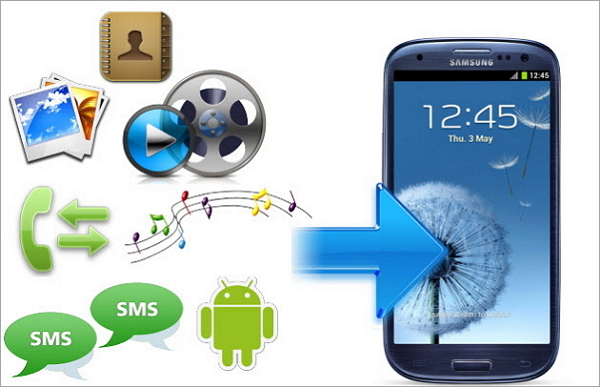
"My Mobile Swap" is a mobile data transfer tools quickly, at present, Mobile phone can transfer data a total of nine categories: directories, software, text messages, phone records, bookmarks, pictures, music, video, and schedule.

Use this software transfer cell phone information, only need cable, need not connected to the Internet traffic. The use of the software method is very simple, first of all to download My Mobile Swap to Windows, new and old two phones do not need to install the software, the data line can complete the transfer. Choose the data type you want to transfer, the following will display the size of you want to transfer the data and the time required.

It’s found that such as some stores shoppers entangled with customers how to quickly transfer phone contact person, will introduce to the customer "AllPepole Mobile Swap". Switching phones "AllPepole Mobile Swap" can ensure the address book is not lost, the customer is still there, can rapid transfer of the application of the old cell phones, photos, music etc., very practical.

Mall shoppers, said with AllPepole Mobile Swap, the customer after the replacement of new Mobile phone is not worried about the transfer of contacts, SMS etc.; And cannot be restricted by environment, transfer of fast, safe mobile information anytime and anywhere. "AllPepole Mobile Swap" not only solves the customer in the trouble of Mobile phone, also helped to increase the performance, so "AllPepole Mobile Swap is a must-have APP for sells shoppers "!

More AllPepole Software at app store:


Thursday, January 28, 2016

How to implement the program data transfer betweenAndroid mobile phones?

With a new phone, how to quickly transfer the address book, text messages, pictures and music to the new phone? If it is pure manual copying, input, you're out for too long. Actually, you can install AllPepole Mobile Swap easily apply contacts, photos, music, etc. A key moved to the new phone.

AllPepole Mobile Swap is a super convenient Mobile phone data transfer tools quickly. Without Internet, need to use cable, easily transfer data between the android mobile phones! Using AllPepole Mobile Swap can zero flow fast implementation include contacts, SMS, applications, music, pictures, video, and so on data transfer.

AllPepole software at iTunes app store:

Assistants from Sunning phone stores said: "the mobile phone has become a modern people's fast moving consumer goods, some people from Huawei mobile phones to Samsung, from HTC to millet, new hand after the first thing is to get the old phone's address book moved to the new phone, because mobile phone brand models, different directories are not compatible, has caused many people to transfer contacts in trouble."

Guide from iPhone store said: the customer Mr Zhang reflect, old and new mobile phone brand, will import nearly thousand telephone number in the phone book in the new phone is not very easy to implement, the introduction of the method is not only online operation trial, for users who like me has the certain difficulty! Finally had to use "a finger Zen" hundreds of contacts will be input into the new phone.

Take in a new cell phone, but how to get the old mobile phone in the network resource security stumped a lot of people moved to the new phone. We know that human resources is a kind of potential intangible assets, is a kind of potential wealth. An individual career success, 80% attributable to get along with others, 20% is from your heart. Mobile phone address book how important it is!

Summary: As long as the "AllPepole Mobile Swap” APP installed on the computer, the connection between old and new cell phone, the data in the old Mobile phones can be safely and quickly moved to the new phone. AllPepole Mobile Swap really must give force!

Free download AllPepole Mobile Swap:


Thursday, January 14, 2016

How to use the Mobile Swap transfer data from One smartphone to another

Mobile data from the iPhone, Android or from an Android to the iPhone is all so simple, in most cases. Of course, you can use a named AllPepole mobile swap to transfer; it is easy to make the shift plan successfully.

AllPepole mobile swap is an advanced tool that allows you to transfer data, such as contract, messages, pictures, music, etc., from the iPhone to Android or from Android to the iPhone in a few simple steps. You only need to according to the mentioned in this guidance, from a mobile phone to another data of three steps.

Note: in this tutorial, we will only show you how the iPhone and Android, but AllPepole mobile swap mobile transmission of data between transmission tool is compatible with Windows completely, and BlackBerry smartphones.

How to use the Mobile Swap transfer data from one smartphone to another

Step 1: download, install and run on the AllPepole mobile swap
First, you need to download AllPepole mobile swap from the AllPepole official website and installed on the computer, select "calls to transfer option". When you start the program, you will get a window that is very clear.

Note: if you want to from a BlackBerry or iTunes backup file transfer data to another cell phone, click the "back" button under the backup and recovery software part.

Step 2: connect the two devices to your computer
Now, you need to USB cable at the same time as your iPhone and Android mobile phone connected to your computer. After doing so, the program will automatically detect your phone.

Step 3: start from a mobile phone transfer to another
In this last step, choose to copy to the other data in a cell phone, and then click on the marked "copy" button to start the process of data transmission.

More AllPepole Multimedia software at iTunes app store:


Wednesday, January 6, 2016

How to transfer data from Samsung Galaxy to iPhone 6 easily?

Because there is always so many background apps in your RAM space, so much slow down your system background application, you may have tired of the android mobile phone. How about using the iOS to replace? This may be the best time for some Android users, just like you, because the iPhone 6 is just released in September. Now the question is: how to deal with all of your personal data, such as photos, video, music, text messages and contacts saved on Android devices? How to transfer Samsung Galaxy file easily to the iPhone 6?

Of course, you can just connect your Samsung Galaxy phone to the computer, copy the files from the SD card, and then transfer them to your new iPhone 6, but because you don't have enough permissions to access your contacts or text files, they seems very hard to let you and commonly used method is transferred to the new iPhone 6.

AllPepole Mobile Swap is dedicated to do ability to transmit data between any smart phone plans. Fortunately, the software can also support the transport address book, video, pictures, etc., from Samsung Galaxy phone to the latest iPhone 6. Now I will tell you how to personal data transmitted from the Android mobile phone, says Samsung Galaxy S5 / S3 / S4, 6 to the iPhone.

Step 1: download the AllPepole Mobile Swap and install it on a computer.

Step 2: start AllPepole Mobile Swap, then connect your Galaxy S5/S4/S3 and iPhone 6|6S|6S Plus to the computer. After connecting your device, the program will immediately recognize them, and show them to you. To exchange, just click on the button to copy.

Step 3: Transfer Samsung Galaxy S5/S4/S3 data to iPhone 6/6S Plus. Check after finish all the steps above, as long as you want to be in the middle of the data, such as video, music, photos, contacts, etc., and then click the "copy" button. Then your Samsung data will begin to shift to the iPhone 6. Just make sure no broken two devices in the process.

Note: AllPepole Mobile Swap not only transfer contacts, messages, video, pictures, calendar, music from Samsung Galaxy to the iPhone 6, you can also directly in the transmission of video and music files into the iPhone 6 compatible format for your service.

All you need to do is simple, as long as the above. AllPepole Mobile Swap - in addition, you can also Symbian and Android, Symbian and iOS easily with this powerful tool to transfer data between. Just have a try.

Download more AllPepole software at iTunes app store;


Thursday, December 3, 2015

The Easiest way to transfer data from old iPhone to new iPhone 6/6 Plus

After the release of iPhone 6S Plus the iPhone has become cheaper and if you want to upgrade your old device then this is the perfect time to do that. But do you want to give up all the important data from your old device? But now there is nothing to worry as you can very easily transfer all the data from your old phone to new iPhone 6/6S plus and the data includes messages, music, videos, photos etc.

Method: Transfer files from old iPhone to iPhone 6/6 plus with AllPepole Mobile Swap

With the help of AllPepole Mobile Swap, you can easily transfer old iPhone data to new iPhone 6/6 plus and that in just one click. This is especially designed to transfer data like contacts, messages, music, photos, videos and calendar along with many other data from your old phone to new iPhone. Contacts can be copied along with the job title, company name, email address and much more. Even it can recover iTunes backup and transfer to iPhone 6 effortlessly. Moreover it works with all iPhones which includes 6 Plus/5s/5c/5/4S/4/3GS running iOS 9/8/7/6/5.

Step 1: Run the AllPepole Mobile Swap app and after that connect the iPhone

First install and then launch AllPepole Mobile Swap on your computer and then connect your old phone to iPhone 6 plus through 2 USB cables.

Step 2: Select phone to phone transfer

You will see phone to phone transfer in the main window. Just hit on it and you will see a mentioned window.

Step 3: Begin to transfer the process

Click on the start copy where you can see the transfer is on progress. After that process ends, all the data gets transferred to your new iPhone 6 plus.

Download More AllPepole Software at iTunes store:


Thursday, November 26, 2015

How to Transfer/Copy Contacts between iPhone 4 and iPhone 6 on Windows/Mac?

Data transmission is a common problem all the time, when it comes to upgrading to a new iPhone, just like the iPhone 6, it is necessary, do you know the way of transfer or copy the contacts between the two iPhone, if you are one of the iPhone users, especially when you have all your contacts from the old iPhone 4 is transferred to the new iPhone 6 or someone wants to get some contacts from the iPhone 4 to his/her new iPhone 6.

Contact was used to send one of the most important data; you must copy of cases of data loss to be very careful. You can through the mail transfer a small amount of contacts or email 2 iPhone; it is very easy and simple way. But you can't move or copy extensive use of mail or E-mail.

If you have a backup up to transfer contacts from the old iPhone new iPhone is not tough. With this, you can easily transfer or copy the contacts from the iPhone 4 to iPhone 6. If you have set up the correct in your iPhone, so you don't have to worry about copying contacts to a new iPhone 6.

Sometimes you may not be able to transfer a large number of use up to contact, because of this, you can only synchronization or replication two iOS is using the same Apple ID contact between the devices. However, as the AllPepole Mobile Swap you can easily transfer or copy the link between the two iOS devices. Use this tool, you can safely send contacts to the iPhone 6 and the iPhone 4. This is to provide the best software for iPhone users; it also can be extracted by up to backup files.

More AllPepole software at iTunes app store:


Thursday, November 19, 2015

How to Transfer Data from iPhone to Android on Windows

Looking to swap from iPhone to Android smartphone? If you are really moving from iPhone to Android phone then you will be facing lots of problem. The main problem you will face is of transferring data from iPhone to Android because iOS on iPhone and Android on Android phone are different in many ways and therefore it is difficult to move data from iPhone to Android. So, if you are looking for such solution then you are in the right place. Here you will come to know about useful tips and steps that will help you to transfer data such as text messages, contacts, videos, music, call logs, apps, calendars, notes, etc from iPhone to Android smartphone.

Method: Transfer All Data from iPhone to Android easily

The easiest way for transferring data from iPhone to Android is to take help of transfer software. Software like AllPepole Mobile Swap (For Window users) will help you to transfer all data that is stored in your internal memory of the device as well as cloud data. The software allows you to transfer contacts, SMS, photos, videos, audio files and others data from iPhone to Android smartphone. The software fully support Android 2.1 and above, and iOS 5/6/7/8.

Notes:

1. Transfer Contacts in accounts: For transferring contacts in accounts such as Google, Facebook, Twitter, you have to log in to the respective accounts on your iPhone.

2. Backup and restore: If you have not purchased nor have Android phone right now, then you do not have to worry about. You can simply backup your iPhone data to PC and afterwards you can restore data on your Android smartphone or tablet.

Step 1 – Download and launch the AllPepole Mobile Swap

Launch AllPepole Mobile Swap on your system (Windows). In home screen, choose Phone to Phone Transfer mode and then click Start. iPhone to android

Step 2 – Connect Your iPhone and Android Device to PC via USB Cables

Connect both of your iPhone and Android devices to the PC. The software will detect both of the devices as shown in the image below.

Step 3 – Start Data Transfer from iPhone to Android

Scan the files that you want to transfer. Click Start Copy. If you have unwanted files in your Android phone then you can check Clear data before copy.

More AllPepole software at iTunes:


Wednesday, November 4, 2015

How to tranfer files between smartphones


AllPepole Mobile Swap is an application of setting up with exactly purpose. It allows users to easily transfer to the new smart phones and passed along the way, all the information. It is compatible with the Android, including the upcoming Android updates. Blackberry and Symbian Phone support, and the compatibility of Windows Phone has been in the work. In addition, the software can easily create a backup of data on the smartphone. That sounds promising, so let's see how the application works.

First of all, AllPepole Mobile Swap is computer application on the Windows. Due to the soft hardware requirements of the software and version of the operating system, and we want it in the past decade or so to buy most of the running on your computer. For the purpose of this review, however, we will use an authorized Windows variant of the APP, installed a fairly modern Windows 7 PC.

AllPepole Mobile Swap the whole installation process is within a few minutes to complete. Download from the installation package AllPepole website we just for instant, install software is playing the "next" after a few times. Registered products are a quick and easy process, and in the end, the application was take up no more than 100 MB of disk space. So far, everything is fine.

We must point out that the AllPepole Mobile Swap application must be installed in our android devices in the process of installation. Simply say this is an "optimization" application, clear memory, module automatically start the application, batch delete files, and all. We are not particularly fond of this type of application, because they may actually do more harm than good. However Mobile Swap function depends in part on the Mobile Transfer application, it allows the text import. Thankfully, the application can be used safely uninstall Mobile Trans one is finished.

The data backup is AllPepole Mobile Swap another very useful function. The backup data process is very simple and clear - you connect the smartphone to your computer, choose the kind of data you need to backup, and made a great blue "transfer" button. The software needed to complete the rest of the work. If you need, you can in the later time in a few simple steps to restore the backup.

Download More AllPepole Software at APP store:


Monday, October 26, 2015

AllPepole Mobile Swap review: one-click phone-to-phone swap tool


Mobile Swap is an application of AllPepole which aims to back up your phone content, or swap from one phone to another.

The layout of AllPepole Mobile Swap is clean and simple, so you do not have to fumble around trying to navigate. Hover over the icon for details, and then select what you want to do: to swap data from one device to another, back up data, restore data, or erase data.

I chose my phone data backup. It took around five minutes before all of my options is loaded I can even start the backup. Once ready, I can choose what I want to project backup: photos, music, video, messaging, contacts and calendar. After another 10-15 minutes all the data backed up, and then I would be finished.

This is a handy program, if you have two phones, you need to synchronize the different platforms. This is a simple way to load your contacts, text messages, and other content from one device to another. If you lose your content, you can perform backup and restore from a backup, before long you have used the program. The layout is clean and simple, but it does claim to do the basic things that have to cope.

Overall, if you are in a pinch, you need a way to probably the easiest way to swap content from one device to another (insert both devices, and then click a few buttons), which may be useful. Besides, it's just an additional program to back up your data.

Download at More AllPepole Software at APP store: